01
You can’t see what you own
Pieces hide in drawers, laundry, and camera rolls. Without one calm view of your closet, good clothes get forgotten.
Privacy-first digital wardrobe · Android
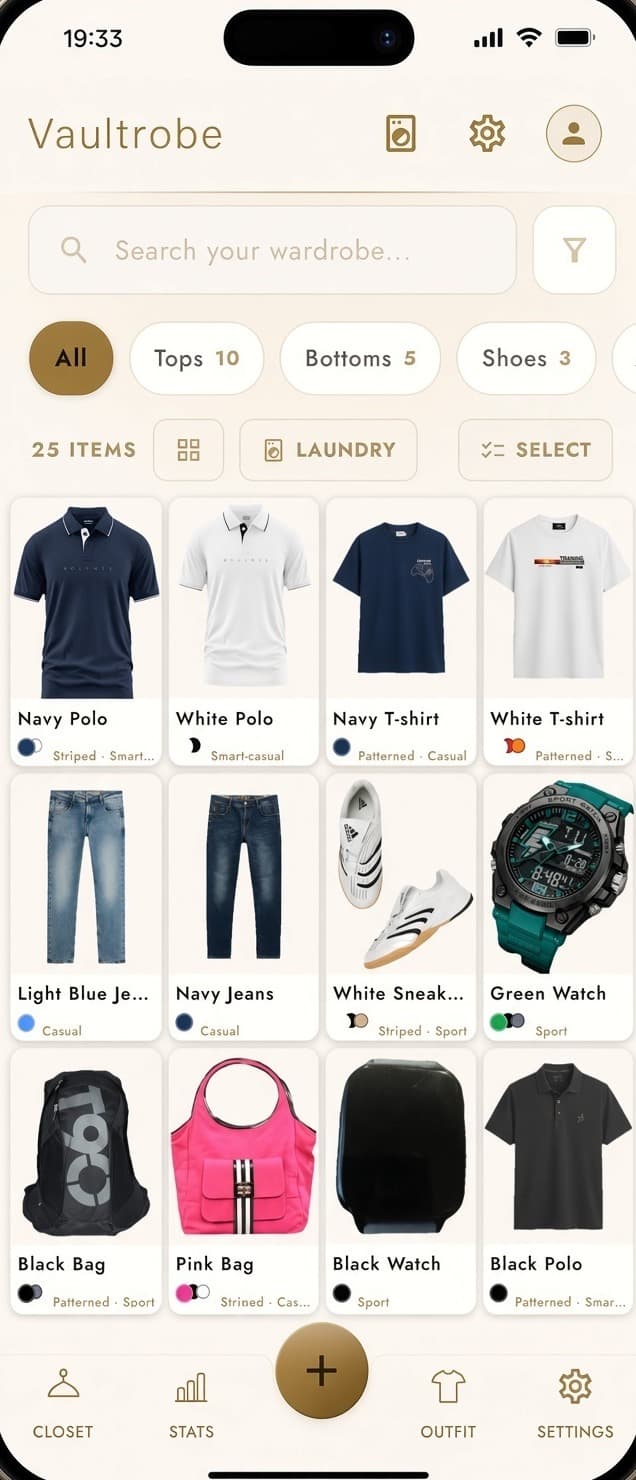
Vaultrobe helps you spend less time deciding what to wear and more time feeling good in your clothes. See what you own, try a piece on before you wear it, and get thoughtful outfit suggestions. Your closet catalog stays on your phone.
No stylists. No wardrobe feed. Just your clothes, clearly.
The problem usually isn’t a lack of clothes — it’s a lack of clarity. When your wardrobe is scattered across drawers, laundry piles, and half-remembered photos, every morning becomes a restart.
A typical morning
Full hangers. Empty answers. The decision takes longer than it should — every single day.
Pieces hide in drawers, laundry, and camera rolls. Without one calm view of your closet, good clothes get forgotten.
A few favorites do all the work while the rest go quiet. “Never worn” is often just never seen.
Weather shifts. Plans change. Your closet stays the same — so you guess, re-wear, or give up.
Too many apps trade convenience for access, feeds, or a public version of your wardrobe. You shouldn’t have to share your closet to use it better.
Vaultrobe doesn’t replace your taste. It makes your wardrobe legible — privately.
See what clarity looks likeMost people own far more clothes than they regularly use. Vaultrobe gives you clear, honest visibility into your wardrobe so you can make better decisions about what to keep, wear, and buy.
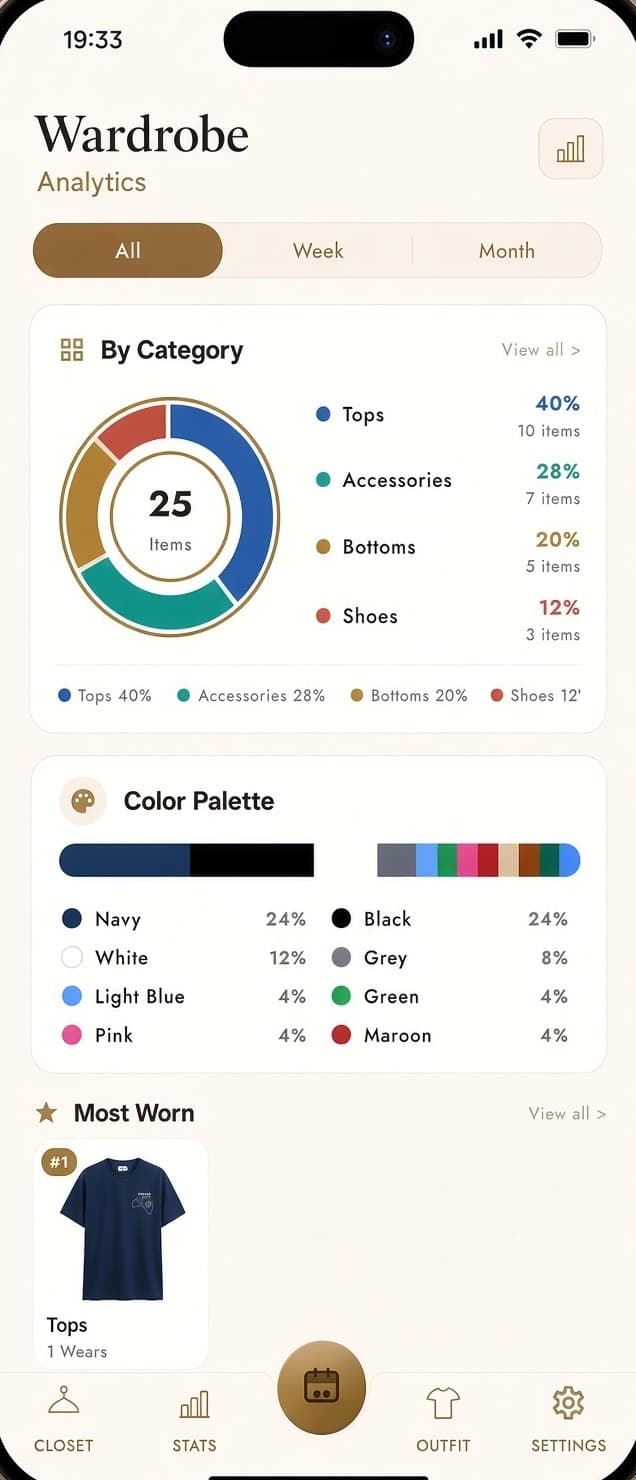
Discover pieces that deserve another chance — or a respectful goodbye.
Understand the real composition of your wardrobe, not just what you think it is.
See which clothes actually earn their place over time.
Know what’s ready, what’s waiting, and what needs attention.
Real clarity. Not guesswork.
Try a saved piece on you, then shape the rest of the day with weather-aware recommendations — color, formality, and the looks you skip.
Add a full-body photo and see that garment on you. Save or share the look when it feels right.
Dress for the forecast, not the guesswork.
Combinations that feel intentional, not accidental.
Work, weekend, and evening without the random clash.
Every “not today” quietly improves the next suggestion.
Clear, rule-based intelligence you can trust.
Recommendations when you want them. Your judgment stays in charge.
Start with what you already have. Bulk upload from your gallery, scan garments with AI assistance, and try a piece on once it is in your closet.
Add many pieces at once — not one slow photo at a time.
Capture and organize details faster, so cataloging doesn’t become a project.
Studio-clean images without a photoshoot or perfect lighting ritual.
Open any saved piece, add your photo, and generate a look before you get dressed.
Separate wardrobes for everyone in the home — when you’re ready.
Getting started should not require a weekend.
Wardrobe items, wear history, and preferences are stored on your device. Photos are sent off the phone only when you run AI indexing or virtual try-on, or when you turn on backup.
Your catalog, habits, and preferences live in the app on your phone.
Indexing and virtual try-on send the photos you choose through Firebase, encrypted in transit.
Google Drive backup runs only after you connect it.
Your wardrobe is not a feed, and the app does not include an ad SDK.
Wardrobe indexing and virtual try-on are explained in the Privacy Policy
A short path from install to a wardrobe you can actually use.
Install on Android and open the app.
Bulk upload from your gallery and scan as you go.
See what’s in your closet, try a piece on, and get weather-aware suggestions for the day.
Family profiles can wait. Day one is about your wardrobe.
A few simple habits when adding clothes will give you cleaner results and a more useful wardrobe.
Use even, natural light when possible. Avoid harsh shadows or direct flash.
A plain, solid-colored background (white or light gray) works best.
Lay garments flat or hang them straight. Capture the full item with some breathing room.
For patterned or detailed pieces, add a second photo of the texture or print.
Smooth out wrinkles and remove tags or stickers before photographing.
For virtual try-on, use a full-body photo facing the camera. The garment photo is the one already saved on that item.
Good photos lead to better organization, clearer try-on, and more accurate suggestions.
Catalog with ease. Try pieces on. Dress for the day with smart recommendations. Your closet catalog stays on your phone.
Your clothes. Your data. Your judgment.